
















.jpg?la=en&h=320&w=720&hash=244C75B74F0F77521D56164450973BCD)














.jpg?la=en&h=310&w=720&hash=8D9823F26AA80B2B75C3E4B2E61770DC)


.jpg?la=en&h=320&w=719&hash=13CA7E4AA3E453809B6726B561F2F4DD)
.jpg?la=en&h=306&w=720&hash=F21A7CD3C49EFBF4D41F00691D09AEAC)

.png?la=en&h=320&w=720&hash=18CFCCD916C92D922F600511FABD775D)











Highlights
- OpenBlue Companion transforms workplaces from passive environments into connected ecosystems that actively support employees, visitors and facility teams
- A single, integrated app streamlines everyday tasks – from booking space to managing visitors and reporting issues – to enhance productivity, experience and operational efficiency
- By enabling real-time visibility and proactive management, organizations can optimize space, reduce costs and better align facilities with business goals
Historically, offices have been considered static spaces that were outfitted with tools and furnishings that employees could use to get their work done. Though people and places have long been most organizations’ two largest expenses, neither was empowered to maximize the value of the other. Until now.
Today, OpenBlue Companion – an occupant experience app – enables people and places to interact in new ways. Those interactions are designed to deliver improved outcomes that drive significant benefits to the business.
Launched in late 2020 to support the reopening of workplaces during the pandemic, Companion is an all-in-one work life application that helps employees and visitors maximize the value and potential of facilities. It also provides facility managers (FMs) and real estate teams with the ability to address maintenance issues more promptly, manage them more effectively and optimize utilization of workspaces and meeting rooms. Employees can use the app to book meeting reservations, adjust temperature controls, manage documentation and reserve parking spaces using natural language processing (NLP).
In addition to NLP integration with virtual assistants, users can access all these functions from a desktop computer, kiosk or mobile device. This can improve the user experience with seamless interactions and easy access to workplace features and amenities. By combining many different capabilities and workflows into one user interface, OpenBlue Companion helps streamline processes, promote collaboration and enhance occupant well-being and productivity.
Here’s a look at how those benefits become tangible for users over the course of a workday.
The employee experience
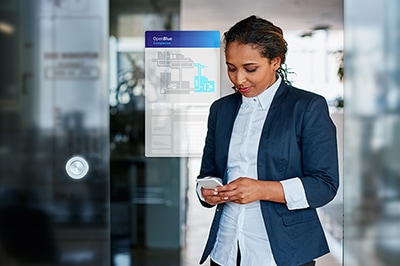 Joan arrives at the office and uses the OpenBlue Companion app on her phone to badge in. Looking at her Microsoft 365 calendar in the Companion app, she sees that her first order of business that day is to work with colleagues on a presentation. Joan uses the app to find out where her colleagues are sitting and book a workspace close to them.
Joan is new to the organization and doesn’t quite know her way around the office, which is made up of complicated layouts on multiple floors. Once she reserves a workstation close to her teammates, Joan uses her phone to scan a QR card at her current location. Just like a road navigation app, the Companion app shows Joan a detailed floor plan overlaid with the route and step-by-step directions she needs to take to get from where she is now to the workspace she reserved. Once Joan arrives at her desk, she scans a QR code to check in at that location so colleagues can find her easily.
As she’s settling into her workspace for the morning, Joan accidentally steps on her laptop charging cord and damages it. She opens the Companion app and submits a help desk ticket to request a new one.
As morning turns to afternoon, Joan looks at her calendar in the Companion app and sees that she had planned to do heads-down work for the rest of the day. She uses the app to search for a quieter workspace in a different area of the office. The app provides information about each workstation and whether it offers amenities like a monitor, table lamp, landline phone or drawer space. Joan remembers that she sat at a desk the previous week that was perfect for helping her focus, and she had added that desk to her Favorites. She sees in the app that that workspace is available for the afternoon and reserves it.
Near the end of her day, Joan finalizes a meeting for the next day with her client, Liam. While Liam will be coming to Joan’s workplace in person, their meeting will also include several of Liam’s colleagues in various locations who will join via teleconference. She uses the Companion app to search for a meeting room.
In the app, Joan can view rooms that are available at the time she and Liam are planning to meet and filter based on variables like room size, seating capacity, teleconferencing capability and moveable furniture. Joan finds a room that fits her needs and reserves the room right in the app.
She also registers Liam as a visitor to the building. Liam receives notifications instantly via email and text with meeting details and all the information he’ll need to streamline his arrival and access to Joan’s building the next day.
Take your workplace experience from siloed to seamless
The guest experience
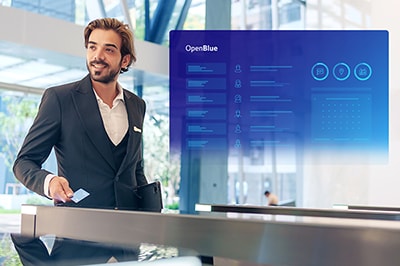 The email Liam receives includes meeting details and instructions on what to do and where to go once he arrives at Joan’s office.
As Liam pulls into the building’s parking garage, the system recognizes his vehicle plate number and allows him access to the garage. Liam follows the directions on his phone to park in an assigned spot just a short walk to the building lobby. Directions are also provided for how to get from the parking spot to the lobby. Once in the building lobby, Liam uses the passcode he received earlier to check in at the elevator bank.
Meanwhile, Joan receives a notification that Liam has checked in and is on his way up to her floor. As she walks to the elevator lobby to welcome him, she opens the Companion app to check the environmental conditions in the meeting room they’ll be using. She sees that the lights are off and the room is a little chilly. With just a couple of clicks, Joan turns the lights on in the room and adjusts the temperature from 68 degrees to 72. The app tells her this is the optimal temperature for energy consumption.
After welcoming Liam and escorting him to the meeting room, Joan checks in by scanning a QR code. This lets others know the room is occupied.
The meeting is scheduled for an hour. As they approach the end of that hour, Joan and Liam agree that they need a few more minutes to finalize their discussion. In the Companion app, Joan confirms that the room is available for them to extend the meeting. She adds 15 minutes to the room reservation.
Joan and Liam decide to have lunch once their meeting finishes, but Liam doesn’t have time for them to go off-site. Luckily, Joan’s building has a cafeteria. With the Companion app, Joan can pull up a menu and place food and beverage orders for her and Liam so that their meals will be ready by the time they arrive at the cafeteria.
After lunch, Joan escorts Liam to the elevator bank and then heads back to her workstation. On the way, she notices a puddle spreading from under the door to one of the restrooms. She quickly opens the Companion app, takes a photo of the puddle and submits an incident report, to alert facilities management staff to the problem. As part of the reporting process, Joan scans the QR code nearest the location of the leak so that facilities staff know exactly where to come.
The facility manager experience
 Mary has been a facility manager for over 20 years. In that time, her daily tasks and responsibilities have shifted from being largely reactive to proactive and strategic. When she first started, Mary often got frantic calls from employees needing her to fix AV equipment that had malfunctioned during an important client meeting. Now – with the visitor management and room and desk booking modules within OpenBlue Companion – she knows in advance who’s coming to her building, when they’re arriving and where they’ll be on-property. This enables Mary to work with other stakeholders ahead of time to ensure that those visits go off without a hitch. It also helps her keep visitors occupants, and assets safer in the event of an emergency.
After Mary badges into the office and settles in at her desk, she pulls up the OpenBlue Companion administrative portal on her computer to review the list of guests scheduled to visit the office that day. While there are no big groups or VIPs who would require special treatment or large catering orders, Mary notices that the meeting room booked by Joan (and her guest, Liam) was flagged as having a broken chair. In the admin portal, Mary checks the status of the work order associated with the broken chair and confirms that it’s been removed and replaced.
The next item on Mary’s agenda is to prepare for an upcoming meeting with the head of HR to discuss hybrid work plans. Some teams have outgrown their current space, so the organization is looking at how they can reorganize space to make better use of the workplace. She opens the Companion app on her phone to access her calendar, and finds the meeting listed there for 9:30. Along with the meeting date and time, Mary can see that it will take place in the Calypso room: a small meeting room that seats five people and has no AV equipment.
With the Companion admin portal, Mary can support hybrid work plans by ensuring that workspaces and meeting rooms are optimized. For example, she can apply site-wide rules to automatically cancel room and desk reservations if they remain unoccupied. This helps ensure that stakeholders reorganizing the space have an accurate picture of utilization and the number and size of different types of space they can work with.
After the meeting, Mary heads to lunch. As she’s finishing up, she gets an alert letting her know that there’s a leak in a restroom on the same floor. She contacts one of her technicians to meet her where the leak is so they can address it right away. Mary uses the news & alerts function within OpenBlue Companion to let employees know that the area affected by the leak will be closed while she and her team diagnose the problem and make repairs. In the Companion admin portal, she cancels any existing reservations for workspaces in the area and makes them non-reservable for the time being.
Making buildings active partners in supporting employee and organizational goals
The goal of OpenBlue Companion has always been to connect people like Mary, Liam and Joan with their environment. The expansion of visitor management capabilities enhances OpenBlue Companion’s ability to deliver on that promise and offer employees, guests and facility administrative users a frictionless, integrated and efficient workplace experience.
The tasks and processes that OpenBlue Companion was able to optimize for Mary, Liam and Joan represent just a few examples of how an organization and its spaces can be infused with this technology to help improve efficiency, support sustainability and even potentially help reduce costs and risk.
Take your workplace experience from siloed to seamless
Frequently asked questions
1. What is OpenBlue Companion?
OpenBlue Companion is a workplace experience application from Johnson Controls that connects people, spaces and building systems through a single, intuitive interface. As part of the OpenBlue platform, it helps occupants navigate buildings, reserve desks or meeting rooms, manage visitors, adjust comfort settings and access workplace services. For building teams, Companion provides insights into space use, occupancy and operational efficiency.
2. Who uses OpenBlue Companion, and what problems does it solve?
OpenBlue Companion is used by occupants, employees, visitors and facility teams in offices, campuses and other commercial environments. For occupants, it simplifies everyday tasks such as space booking, wayfinding and check‑in to create a more comfortable and productive workplace. For facility and real estate teams, Companion provides visibility into how spaces are used. This helps optimize space utilization, reduce operating costs and support flexible and hybrid work arrangements.
3. How does OpenBlue Companion fit into the OpenBlue digital platform?
OpenBlue Companion is part of the OpenBlue Workplace Experience solution suite. It integrates with building systems such as HVAC, lighting, access control and enterprise tools like calendars and directories. This integration enables real‑time insights, personalized experiences and scalable deployment across locations. It also supports security, privacy and enterprise‑grade data standards.